Getting Started with ReportRocket
Welcome to ReportRocket! Learn how to set up your account and generate your first AI-powered report comment.
Welcome to ReportRocket
ReportRocket helps Australian primary teachers write personalised, curriculum-aligned report comments in minutes instead of hours. This guide will get you up and running quickly.
Setup Wizard
When you first sign in, a short Setup Wizard walks you through the essentials:
- Choose your role — select whether you are a Teacher, Reviewer, or both. Admins who only manage the school (and don't write reports themselves) can choose the admin-only option.
- School name — if you haven't joined a school yet, enter your school name so colleagues can find you later.
- Confirmation — review your choices and finish setup.
You can change your role and school details later from your profile settings.
Your Dashboard
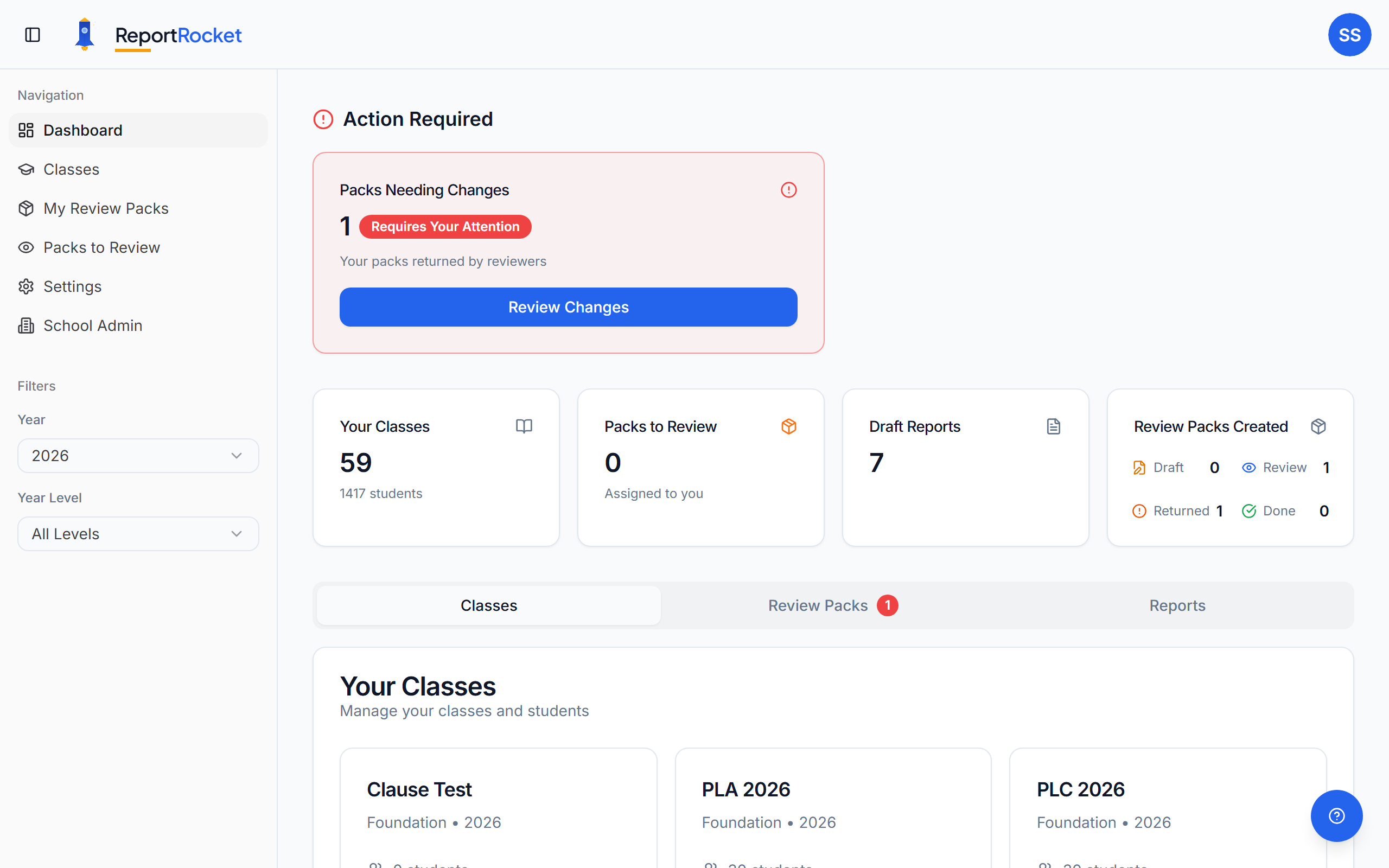
After completing setup, you'll land on your Dashboard. This is your command centre showing:
- Classes overview — all your classes with student counts and report progress
- Quick stats — reports ready, in progress, and pending review
- Recent activity — your latest actions for easy continuation
Quick Start: Your First Report in 5 Minutes
- Create a class — click "Add Class", enter the class name and year level
- Add students — add your students with their names and pronouns
- Select a student — click on any student to start their report
- Choose criteria — tick the relevant curriculum criteria and proficiency levels
- Generate — click "Generate Comment" and get a personalised comment in seconds
Key Features
AI-Powered Comments
ReportRocket generates curriculum-aligned comments based on the criteria and proficiency levels you select. Each comment is personalised with the student's name and pronouns.
Peer Review
Bundle reports into Review Packs and send them to a colleague for feedback. Use One-Click Revisions to instantly address reviewer annotations.
Export
When your comments are ready, export them to Excel, PDF, or Word — or print them directly from ReportRocket. See Exporting and printing reports for details.
School Administration
School admins get a dedicated dashboard for managing teachers, classes, curriculum settings, and review packs across the whole school.
What's Next?
- Create your first class — detailed guide to setting up classes
- Add students — learn about pronouns and student management
- Generate your first report — master the report generation process
- Exporting and printing reports — get your comments out of ReportRocket
Take an Interactive Tour
ReportRocket includes guided walkthroughs that highlight the main areas of the app:
- Dashboard tour — click your profile avatar (top right) and choose Take a Tour, or open the Help drawer and click Start Tour. This walks you through the dashboard, sidebar, and key buttons.
- Settings tour — open Settings, then click Take a Tour at the bottom of the Settings sidebar. It covers the year level selector, curriculum sections, Review Team, and Examples.
Tours run automatically the first time you visit, and you can replay them any time from the same buttons. They are a quick way to orient yourself if you have not used ReportRocket for a while.
Need Help?
- Use the Help button in the bottom corner of any page
- Search our help centre for specific topics
- Contact us if you're stuck — we respond within 24 hours
Was this article helpful?